Notes on running HP machines in MAME
Author: F.Ulivi
License: CC-BY-SA
This is a brief introduction to emulating HP machines on MAME.
This is a list of the HP systems for which I wrote (partially/entirely) the MAME emulation:
I also implemented these peripherals:
- HP9885 (High-level emulation only, no ROM dump is apparently available)
- HP9895
General usage info
See also: https://docs.mamedev.org
MAME operates in two modes: PARTIAL & FULL emulation. By default the key to switch between the modes is "Scroll Lock". In Partial emulation mode, a few keys are diverted to control the MAME UI:
- Tab
- Open/close the UI
- P
- Pause/unpause the emulation
- Esc
- Quit MAME/go up one menu level
- Arrows
- Navigate menus/submenus & change settings
- F3
- Soft reset the machine
The UI is organized in menus & submenus. These are the most important menus, IMO:
- Input (this machine): Defines the association between keys on your keyboard and keys of the emulated machine.
- Dip Switches: Defines the setting of various DIP switches in the system
- Machine Configuration: Defines various settings of the emulation environment (e.g. the baudrate to interface RS232 to a PTY)
- File Manager: Allows loading/unloading/creating the image files of floppies and tapes
- Pseudo Terminals: Reports the device name of active PTYs
- Slot Devices: Controls "pluggable" options (such as external modules, connectors, etc)
ROM images are to be stored in zip files having a well-defined name (see below). The directory where zip files are stored is to be specified with the rompath option.
Keep in mind that the zip files holding optional ROM images should be stored in a sub-directory with a well-defined name (e.g. hp85_rom for HP85 optional ROMs).
There are some useful options for general use:
- -debug: enables the integrated (and very powerful) MAME debugger.
- -log: logs special messages about the running system into error.log. The nature & amount of these messages depend of the emulated system.
- -window: run in a window (as opposed to full screen).
Emulating HPIB disks
Emulation of HPIB disks in MAME is done in two different ways:
- Low-level emulation of drive inside MAME. Currently these models are emulated in this way: HP9895, HP9122C & HP9133. I wrote the emulation of HP9895.
- External high-level emulation of drive. In this case the IEEE-488 bus is exported outside MAME by the "IEEE488 remotizer" module. This module interfaces with external programs through a TCP socket. I wrote a couple of programs to emulate Amigo drives: amigo_drive and hp_disk (see repository on Github). The latter is GUI based and generally easier to use.
In either case the emulated system needs to have a HPIB port just like in the real world. It can be integrated (as in HP64000) or provided by an optional module (e.g. HP85). In the latter case the module needs to be virtually "plugged" into an I/O slot. The examples listed below detail the options needed to load HPIB modules, where applicable.
A note regarding CP/M disks on HP86: CP/M on HP86 relies on a-priori knowledge of disk geometry. There is a fixed association between drive model and disk geometry. This means that a disk originally imaged on a 82901 must be loaded into an emulated 82901 drive or access to filesystem from CP/M won't work correctly.
HP85A
What is implemented
- Base system with 16k of RAM
- Internal printer
- DC100 tape drive
- Optional ROMs
- External modules: HP82937 & HP82939
ROM images
Base system hp85.zip |
||
|---|---|---|
| Name | Size | CRC |
| chrgen.bin | 1024 | 9c402544 |
| prt_chrgen.bin | 1024 | abeaba27 |
| rom000.bin | 8192 | e13b8ae3 |
| romsys1.bin | 8192 | 7724b1e9 |
| romsys2.bin | 8192 | 50a85263 |
| romsys3.bin | 8192 | 0df385f0 |
HP82937 module hp82937.zip |
||
|---|---|---|
| Name | Size | CRC |
| 1820-2437.bin | 2048 | 687d1559 |
HP82939 module hp82939.zip |
||
|---|---|---|
| Name | Size | CRC |
| 1820-2438.bin | 2048 | 3a2f42a2 |
HP9895 drive hp9895.zip |
||
|---|---|---|
| Name | Size | CRC |
| 1818-1391a.bin | 8192 | b50dbfb5 |
Assembler Opt ROM hp85_rom/assembler.zip |
||
|---|---|---|
| Name | Size | CRC |
| rom050.bin | 8192 | 9827cc3c |
I/O Opt ROM hp85_rom/io.zip |
||
|---|---|---|
| Name | Size | CRC |
| rom300 | 8192 | 6f904a4c |
Mass storage Opt ROM hp85_rom/mass.zip |
||
|---|---|---|
| Name | Size | CRC |
| rom320.bin | 8192 | 9c03582c |
Matrix Opt ROM hp85_rom/matrix.zip |
||
|---|---|---|
| Name | Size | CRC |
| rom260 | 8192 | 70f83074 |
Service Opt ROM hp85_rom/service.zip |
||
|---|---|---|
| Name | Size | CRC |
| rom340.bin | 8192 | 41441333 |
How to invoke MAME
Base:
mame hp85 -rompath <ROM directory>
To load optional ROMS:
-rom1..6 <ROM name>
Where <ROM name> is "service", "assembler", "matrix" , "io", "mass" (i.e. the name of the image ZIP file, see above).
To load a tape image:
-utap <HTI file name>
(To create an empty tape file, use the "file manager" entry in MAME UI. A newly-created file is just like a virgin tape, it needs to be formatted before 1st use)
To redirect the printer output to image files:
-bitb1 <output file for graphic image> -bitb2 <output file for text>
To add 82937 module:
-slot1..4 82937_hpib
To add HP9895 drive once 82937 is loaded:
-slot1:82937_hpib:ieee_dev hp9895
(Use the same slot number as the one used to load the 82937 module)
Once HP9895 is loaded, use these options to load floppy images:
-flop1 <image for drive 0> -flop2 <image for drive 1>
To interface to an external program through the IEEE488 remotizer, using 1234 TCP port:
-slot1:82937_hpib:ieee_rem remote488 -bitb1 socket.localhost:1234
Note that the "bitb" indexes of printer output shift up by 1 once the remotizer is in use (so they become -bitb2 and -bitb3).
To add 82939 module:
-slot1..4 82939_serial
To connect serial line to something once 82939 is loaded (e.g. a PTY):
-slot1:82939_serial:rs232 pty
(Use the same slot number as the one used to load the 82939 module. See also "machine configuration" and "pseudo terminals" in MAME UI.)
Example Start HP85A with Mass storage ROM, HP82937, HP9895 drive and "85GamesPac1.mfi" image in drive #0:
mame hp85 -rompath <whatever> -slot4 82937_hpib -rom1 mass -slot4:82937_hpib:ieee_dev hp9895 -flop1 85GamesPac1.mfi
HP86B
What is implemented
- Base system with 128k of RAM
- Video output with 82913 aspect ratio
- Run light
- Optional ROMs
- Internal HPIB interface
- External modules: HP82900 & HP82939
- Non-English keyboard layouts
ROM images
Base system, English keyboard hp86b.zip |
||
|---|---|---|
| Name | Size | CRC |
| 1820-2437.bin | 2048 | 687d1559 |
| chrgen.bin | 1280 | e90fad22 |
| rom000.bin | 8192 | c3ca5c54 |
| rom001.bin | 8192 | 59a1616c |
| rom320.bin | 8192 | c921e2e4 |
| rom321.bin | 8192 | e6e5cc91 |
| romsys1.bin | 8192 | bfa473b8 |
| romsys2.bin | 8192 | 2bc3ba4b |
| romsys3.bin | 8192 | 86bf3b8b |
Base system, 001/002/006 options hp86b_001.zip |
||
|---|---|---|
| Name | Size | CRC |
| 1820-2437.bin | 2048 | 687d1559 |
| chrgen.bin | 1280 | a3d891c2 |
| rom000.bin | 8192 | c3ca5c54 |
| rom001.bin | 8192 | 59a1616c |
| rom030.bin | 8192 | 14507bc0 |
| rom320.bin | 8192 | c921e2e4 |
| rom321.bin | 8192 | e6e5cc91 |
| romsys1.bin | 8192 | bfa473b8 |
| romsys2.bin | 8192 | 2bc3ba4b |
| romsys3.bin | 8192 | 86bf3b8b |
Base system, 004/008/009/010/020/021 opt hp86b_004.zip |
||
|---|---|---|
| Name | Size | CRC |
| 1820-2437.bin | 2048 | 687d1559 |
| chrgen.bin | 1280 | c7d04292 |
| rom000.bin | 8192 | c3ca5c54 |
| rom001.bin | 8192 | 59a1616c |
| rom030.bin | 8192 | 14507bc0 |
| rom320.bin | 8192 | c921e2e4 |
| rom321.bin | 8192 | e6e5cc91 |
| romsys1.bin | 8192 | bfa473b8 |
| romsys2.bin | 8192 | 2bc3ba4b |
| romsys3.bin | 8192 | 86bf3b8b |
HP82900 module hp82900.zip |
||
|---|---|---|
| Name | Size | CRC |
| 82900-60002.bin | 2048 | 48745bbb |
For HP82937, HP82939, HP9895 see above.
Advanced Programming 1 Opt ROM hp86_rom/advprg1.zip |
||
|---|---|---|
| Name | Size | CRC |
| rom347.bin | 8192 | 14c085f8 |
Advanced Programming 2 Opt ROM hp86_rom/advprg2.zip |
||
|---|---|---|
| Name | Size | CRC |
| rom350.bin | 8192 | 0749ced1 |
Assembler Opt ROM hp86_rom/assembler.zip |
||
|---|---|---|
| Name | Size | CRC |
| rom050.bin | 8192 | bdce8a12 |
Enhanced Mass Storage Opt ROM hp86_rom/ems.zip |
||
|---|---|---|
| Name | Size | CRC |
| rom317.bin | 8192 | 187f7a1e |
I/O ROM hp86_rom/io.zip |
||
|---|---|---|
| Name | Size | CRC |
| rom300.bin | 8192 | c8583a7a |
Matrix 1 Opt ROM hp86_rom/matrix1.zip |
||
|---|---|---|
| Name | Size | CRC |
| rom260.bin | 8192 | b57fd7fd |
Matrix 2 Opt ROM hp86_rom/matrix2.zip |
||
|---|---|---|
| Name | Size | CRC |
| rom261.bin | 8192 | 681c878e |
MIKSAM Opt ROM hp86_rom/miksam.zip |
||
|---|---|---|
| Name | Size | CRC |
| rom016.bin | 8192 | f3639add |
Plotter Opt ROM hp86_rom/plotter.zip |
||
|---|---|---|
| Name | Size | CRC |
| rom360.bin | 8192 | 982e6ee3 |
How to invoke MAME
Base, standard English keyboard:
mame hp86b -rompath <ROM directory>
Base, Swedish/Finnish, Danish/Norwegian & Spanish keyboards:
mame hp86b_001 -rompath <ROM directory>
Base, German, French, Italian, Dutch, Swiss German & Swiss French keyboards:
mame hp86b_004 -rompath <ROM directory>
To load optional ROMS:
-rom1..6 <ROM name>
For ROM names see above.
To add HP9895 drive:
-slot1:hpib:ieee_dev hp9895
Once HP9895 is loaded, use these options to load floppy images:
-flop1 <image for drive 0> -flop2 <image for drive 1>
To interface to an external program through the IEEE488 remotizer, using 1234 TCP port:
-slot1:hpib:ieee_rem remote488 -bitb socket.localhost:1234
To add 82900 module (see also this note):
-slot2..4 82900_cpm
To add 82939 module:
-slot2..4 82939_serial
To connect serial line to something once 82939 is loaded (e.g. a PTY):
-slot2:82939_serial:rs232 pty
(Use the same slot number as the one used to load the 82939 module. See also "machine configuration" and "pseudo terminals" in MAME UI.)
Example Start HP86B with HP9895 drive and "87demo.hpi" image in drive #0:
mame hp86b -rompath <whatever> -slot1:hpib:ieee_dev hp9895 -flop1 87demo.hpi
Notes
Due to a race condition, HP9895 drive is not automatically detected at boot time. In order to access it you need to type:
MASS STORAGE IS ":d700"
HP9845B/C/T
See also: https://www.hp9845.net/9845/projects/emulator/
This page shows how to demo a RJE connection to an emulated IBM S/370 system: https://fulivi.github.io/mame_tools/rje_9845.html
What is implemented
- 45B, 45C & 45T systems with a variable amount of RAM (192k by default)
- Text & graphic screen
- US & German keyboards
- T14 & T15 tape drives
- Light pen on 45C & 45T
- Softkeys on 45C & 45T
- Internal printer
- Optional ROMs
- External modules: HP98032, HP98034, HP98035, HP98036, HP98046
ROM images
Base system HP9845B hp9845b.zip |
||
|---|---|---|
| Name | Size | CRC |
| 9845-LPU-Standard-Processor.bin | 65536 | dc266c1b |
| 9845-PPU-Standard-Graphics.bin | 65536 | f866510f |
| chrgen.bin | 2048 | fe9e844f |
| optional_chrgen.bin | 2048 | 0ecfa63b |
Base system HP9845B (German) hp9845b_de.zip |
||
|---|---|---|
| Name | Size | CRC |
| 9845-LPU-Standard-Processor.bin | 65536 | dc266c1b |
| 9845-PPU-Standard-Graphics-Ger.bin | 65536 | c968363d |
| chrgen.bin | 2048 | fe9e844f |
| optional_chrgen.bin | 2048 | 0ecfa63b |
Base system HP9845C hp9845c.zip |
||
|---|---|---|
| Name | Size | CRC |
| 9845-LPU-Standard-Processor.bin | 65536 | dc266c1b |
| 9845-PPU-Color-Enhanced-Graphics.bin | 65536 | 96e11edc |
| chrgen.bin | 2048 | fe9e844f |
| optional_chrgen.bin | 2048 | 0ecfa63b |
Base system HP9845C (German) hp9845c_de.zip |
||
|---|---|---|
| Name | Size | CRC |
| 9845-LPU-Standard-Processor.bin | 65536 | dc266c1b |
| 9845-PPU-Color-Enhanced-Graphics-Ger.bin | 65536 | a7ef79ee |
| chrgen.bin | 2048 | fe9e844f |
| optional_chrgen.bin | 2048 | 0ecfa63b |
Base system HP9845T hp9845t.zip |
||
|---|---|---|
| Name | Size | CRC |
| 1818-1395.bin | 4096 | 7b555edf |
| 9845-LPU-Standard-Processor.bin | 65536 | dc266c1b |
| 9845-PPU-Color-Enhanced-Graphics.bin | 65536 | 96e11edc |
Base system HP9845T (German) hp9845t_de.zip |
||
|---|---|---|
| Name | Size | CRC |
| 1818-1395.bin | 4096 | 7b555edf |
| 9845-LPU-Standard-Processor.bin | 65536 | dc266c1b |
| 9845-PPU-Color-Enhanced-Graphics-Ger.bin | 65536 | a7ef79ee |
Integrated printer character generator hp9845_prt.zip |
||
|---|---|---|
| Name | Size | CRC |
| 1818-2687.bin | 2048 | cce64de8 |
HP98034 module hp98034.zip |
||
|---|---|---|
| Name | Size | CRC |
| 1816-1242.bin | 1024 | 301a9f5f |
HP98035 module hp98035.zip |
||
|---|---|---|
| Name | Size | CRC |
| 1818-0469.bin | 2048 | e16ab3bc |
HP98046 module hp98046.zip |
||
|---|---|---|
| Name | Size | CRC |
| 1820-2431.bin | 1024 | e6a068d6 |
For HP9895 drive see above.
Assembly Development & Execution Opt ROM hp9845b_rom/asmdev.zip |
||
|---|---|---|
| Name | Size | CRC |
| 09845-65525-17_40-RevA-Assembly_Execution_and_Development.bin | 8192 | ff91e559 |
| 09845-65525-17_50-RevA-Assembly_Execution_and_Development.bin | 8192 | 52d8c5b4 |
| 09845-65525-17_60-RevA-Assembly_Execution_and_Development.bin | 8192 | dc79c562 |
| 09845-65525-17_70-RevA-Assembly_Execution_and_Development.bin | 8192 | ce4179ba |
Datacomm Opt ROM hp9845b_rom/datacomm.zip |
||
|---|---|---|
| Name | Size | CRC |
| 09845-67965-21_00-RevA-Basic_Data_Comm_Async.bin | 8192 | cc82edcd |
| 09845-67965-21_10-RevA-Basic_Data_Comm_Async.bin | 8192 | f0dda2fb |
| 09845-67965-21_20-RevA-Basic_Data_Comm_Async.bin | 8192 | 342f2cca |
| 09845-67965-21_30-RevA-Basic_Data_Comm_Async.bin | 8192 | 02c5fbf1 |
Enhanced Graphics (Rev B) Opt ROM hp9845b_rom/enhgfxb.zip |
||
|---|---|---|
| Name | Size | CRC |
| 98780-65501-07_20-revb-enhancend_graphics.bin | 8192 | 57598821 |
| 98780-65501-07_30-revb-enhancend_graphics.bin | 8192 | 19278727 |
| 98780-65501-07_40-revb-enhancend_graphics.bin | 8192 | 656799f5 |
| 98780-65501-07_50-revb-enhancend_graphics.bin | 8192 | 1d07c692 |
| 98780-65501-07_60-revb-enhancend_graphics.bin | 8192 | 28e39bf6 |
Graphics Opt ROM hp9845b_rom/graphics.zip |
||
|---|---|---|
| Name | Size | CRC |
| 09845-65517-07_30-RevB-Graphics.bin | 8192 | 00f49b6e |
| 09845-65517-07_40-RevB-Graphics.bin | 8192 | 511d6c82 |
I/O (rev B) Opt ROM hp9845b_rom/iob.zip |
||
|---|---|---|
| Name | Size | CRC |
| 09845-65518-13_50-RevB-IO_LPU.bin | 8192 | 3d642769 |
| 09845-65518-13_60-RevB-IO_LPU.bin | 8192 | 4fc249f8 |
| 09845-65519-09_40-RevB-IO_PPU.bin | 8192 | fb49c7d8 |
| 09845-65519-09_50-RevB-IO_PPU.bin | 8192 | 861a77c6 |
Mass Storage (rev D) Opt ROM hp9845b_rom/massd.zip |
||
|---|---|---|
| Name | Size | CRC |
| 09845-65516-11_10-RevD-Mass_Storage.bin | 8192 | 1cc55094 |
| 09845-65516-11_20-RevD-Mass_Storage.bin | 8192 | 20025674 |
| 09845-65516-11_30-RevD-Mass_Storage.bin | 8192 | 47cc4fa8 |
Structured Programming Opt ROM hp9845b_rom/strucprg.zip |
||
|---|---|---|
| Name | Size | CRC |
| 09845-65528-17_30-RevA-Structured_Programming.bin | 8192 | f2829f93 |
Test Opt ROM hp9845b_rom/test.zip |
||
|---|---|---|
| Name | Size | CRC |
| 09845-66520-45_00-Test_ROM.bin | 8192 | 95a5b299 |
| 09845-66520-45_10-Test_ROM.bin | 8192 | 257e4c66 |
RJE Bisync ROM hp9845b_rom/bisync.zip |
||
|---|---|---|
| Name | Size | CRC |
| 09845-67986-21_40_rje_datacom_bisync.bin | 8192 | 59123e07 |
| 09845-67986-21_50_rje_datacom_bisync.bin | 8192 | a753991a |
How to invoke MAME
Base:
mame hp9845b -rompath <ROM directory>
mame hp9845c -rompath <ROM directory>
mame hp9845t -rompath <ROM directory>
mame hp9845b_de -rompath <ROM directory>
mame hp9845c_de -rompath <ROM directory>
mame hp9845t_de -rompath <ROM directory>
To load optional ROMS:
-rom1..8 <ROM name>
For ROM names see above. I/O Opt ROM has two ROMs: one for PPU (to be loaded with -rom1 iob:ppu_rom) and one for LPU (to be loaded with -rom2 iob:lpu_rom).
To set different amount of RAM:
-ram <RAM amount>
Where <RAM amount> is 64k or 320k or 448k.
To add 98032 module:
-slot0..3 98032_gpio
To connect a HP9885 drive to 98032 module:
-slot1:98032_gpio:gpio hp9885
To add 98034 module:
-slot0..3 98034_hpib
To connect a HP9895 to 98034 module:
-slot1:98034_hpib:ieee_dev hp9895
To interface to an external program through the IEEE488 remotizer, using 1234 TCP port:
-slot1:98034_hpib:ieee_rem remote488 -bitb1 socket.localhost:1234
Note that the "bitb" indexes of printer output shift up by 1 once the remotizer is in use (so they become -bitb2 and -bitb3).
To add 98035 module:
-slot0..3 98035_rtc
To add 98046 module:
-slot0..3 98046
To connect RS232 port of 98046 to PTY:
-slot1:98046:rs232 pty
To enable light pen and have it controlled by mouse:
-lightgun -lightgun_device mouse
To load a tape image in T15 drive:
-utap1 <HTI file name>
To load a tape image in T14 drive:
-utap2 <HTI file name>
To set output files for the internal printer:
-bitb1 <text output file> -bitb2 <graphic output file>
Example Start HP9845C with Mass storage ROM, Enhanced Graphic ROM, HP98034, HP9895 drive with "demo.hpi" in drive #0 and enable light pen:
mame hp9845c -rompath <whatever> -lightgun -lightgun_device mouse -slot1 98034_hpib -slot1:98034_hpib:ieee_dev hp9895 -flop1 demo.hpi -rom1 massd -rom2 enhgfxb
HP64000
What is implemented
- Base system with 128k of RAM
- Text screen
- HPIB interface
- RS232 interface
- Dual 5.25" floppy drive
ROM images
Base system hp64k.zip |
||
|---|---|---|
| Name | Size | CRC |
| 1816_1496_82S191.bin | 2048 | 32a52664 |
| 64100_80020.bin | 4096 | ac01b436 |
| 64100_80021.bin | 4096 | 74f9d33c |
| 64100_80022.bin | 4096 | 38b2aae5 |
| 64100_80023.bin | 4096 | 6b4bc2ce |
| 64100_80024.bin | 4096 | 2e15a1d2 |
| 64100_80025.bin | 4096 | e6353085 |
| 64100_80026.bin | 4096 | a74e834b |
| 64100_80027.bin | 4096 | b93c0e7a |
How to invoke MAME
Base:
mame hp64k -rompath <ROM directory>
To load floppy images:
-flop1 <image for drive #0> -flop2 <image for drive #1>
To interface to an external program through the IEEE488 remotizer, using 1234 TCP port:
-ieee_rem remote488 -bitb socket.localhost:1234
To connect RS232 port to PTY:
-rs232 pty
Example Start HP64000 with OS images in drive #0 & #1:
mame hp64k -rompath <whatever> -flop1 64000-2.TD0 -flop2 64000-3.TD0
Notes
The "System source" DIP switch selects what happens at boot time:
- Sys bus: boot from HPIB connected drive
- Local storage-addressable: boot from floppies
- Performance verification: start built-in diagnostic
HP2645
What is implemented
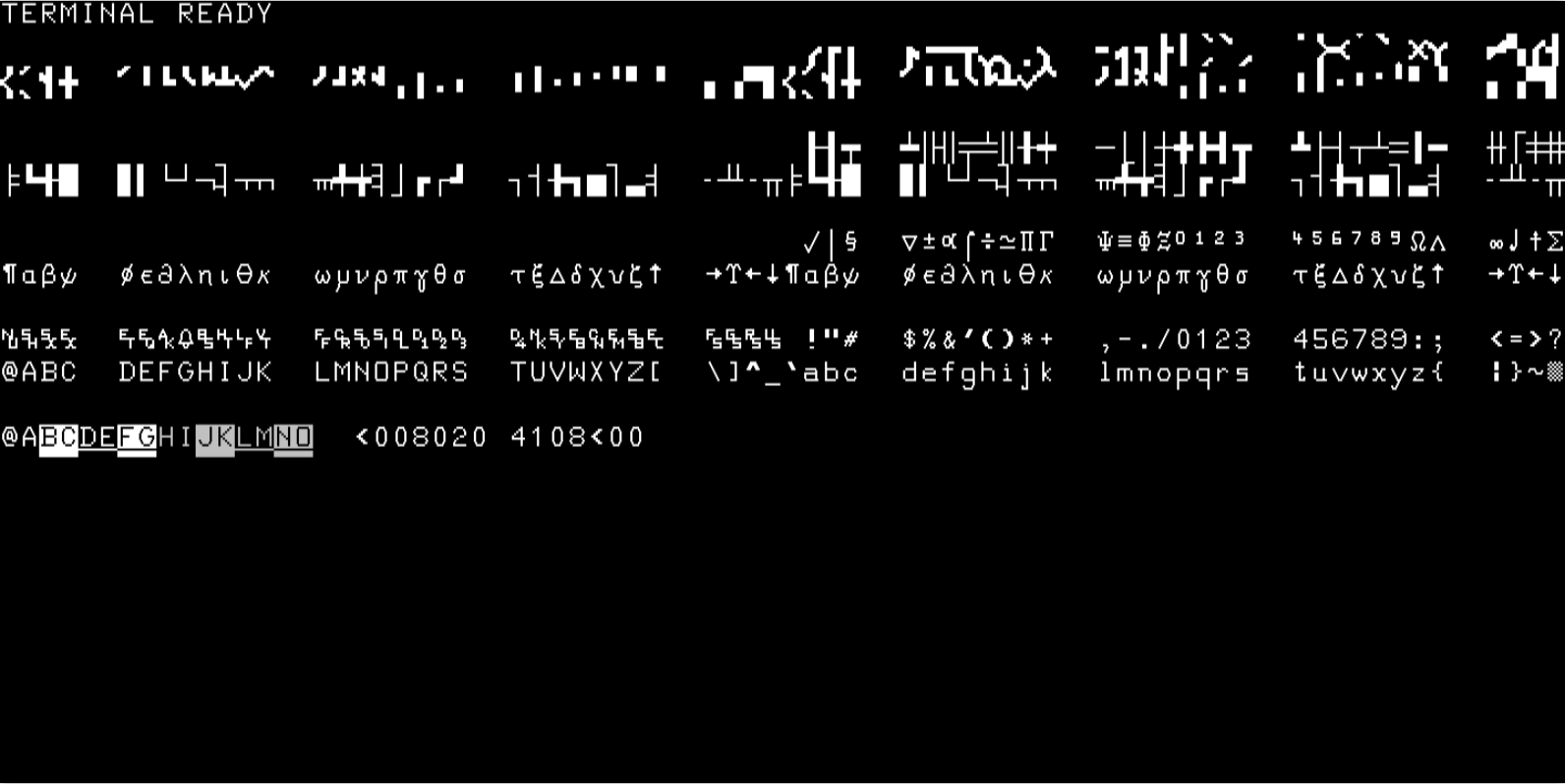
- Base system with 16k of RAM
- Video with 4 character sets (Standard, Math, Line drawing & big characters)
- RS232 port
- DC100 tape drive
ROM images
Base system hp2645.zip |
||
|---|---|---|
| Name | Size | CRC |
| 1816-0612.bin | 1024 | 5d7befd6 |
| 1816-0613.bin | 1024 | b6bac431 |
| 1816-0642.bin | 1024 | 2b8d151d |
| 1816-1417.bin | 1024 | e91343a4 |
| 1816-1425.bin | 1024 | 69a34fef |
| 1818-0206.bin | 2048 | 788f8464 |
| 1818-0207.bin | 2048 | de7186a9 |
| 1818-0208.bin | 2048 | 1eca0ff8 |
| 1818-0209.bin | 2048 | 82e02695 |
| 1818-0210.bin | 2048 | a1ebb6ab |
| 1818-0212.bin | 2048 | 50221ec0 |
| 1818-0287.bin | 2048 | 717c01a6 |
| 1818-0426.bin | 2048 | 9c49fb37 |
| 1818-0448.bin | 2048 | 15b09e97 |
| 1818-0512.bin | 2048 | 1796f4fc |
| 1818-0513.bin | 2048 | 416d1a4d |
How to invoke MAME
Base:
mame hp2645 -rompath <ROM directory>
To connect RS232 port to PTY:
-rs232 pty
To load a cartridge in U0 drive:
-utap1 <HTI file name>
How to load a binary program
To load a binary program (e.g. a game) into emulated terminal follow these steps (Linux only):
- Connect a PTY to RS232 port (see above)
- Set the baud rate at most at 4800 by using the Machine configuration menu entry. Ensure that the RS232 configuration for the terminal and the PTY match.
- By using the Pseudo terminals menu entry read the current PTY in use (e.g. /dev/pts/10).
- From a shell issue this command: cp invade.txt /dev/pts/10. Adapt this to the file to be loaded and the PTY device.
- Enjoy!
Alternatively, a binary program can be loaded from a tape image. The following instructions assume that the file to be loaded is first on tape.
- Start emulation and load tape image into utap1 drive with File Manager (in UI menu)
- Ensure that terminal is in local mode
- Press GOLD, f1 and READ
- Reading from tape should start.
HP9825A/B/T
What is implemented
- Base system with 8k, 16k, 24k or 32k of RAM (9825A), 24k (9825B) or 62k (9825T)
- DC100 tape drive
- Display & run light
- Printer
- Optional ROMs
- External modules: HP98032, HP98034, HP98035, HP98036
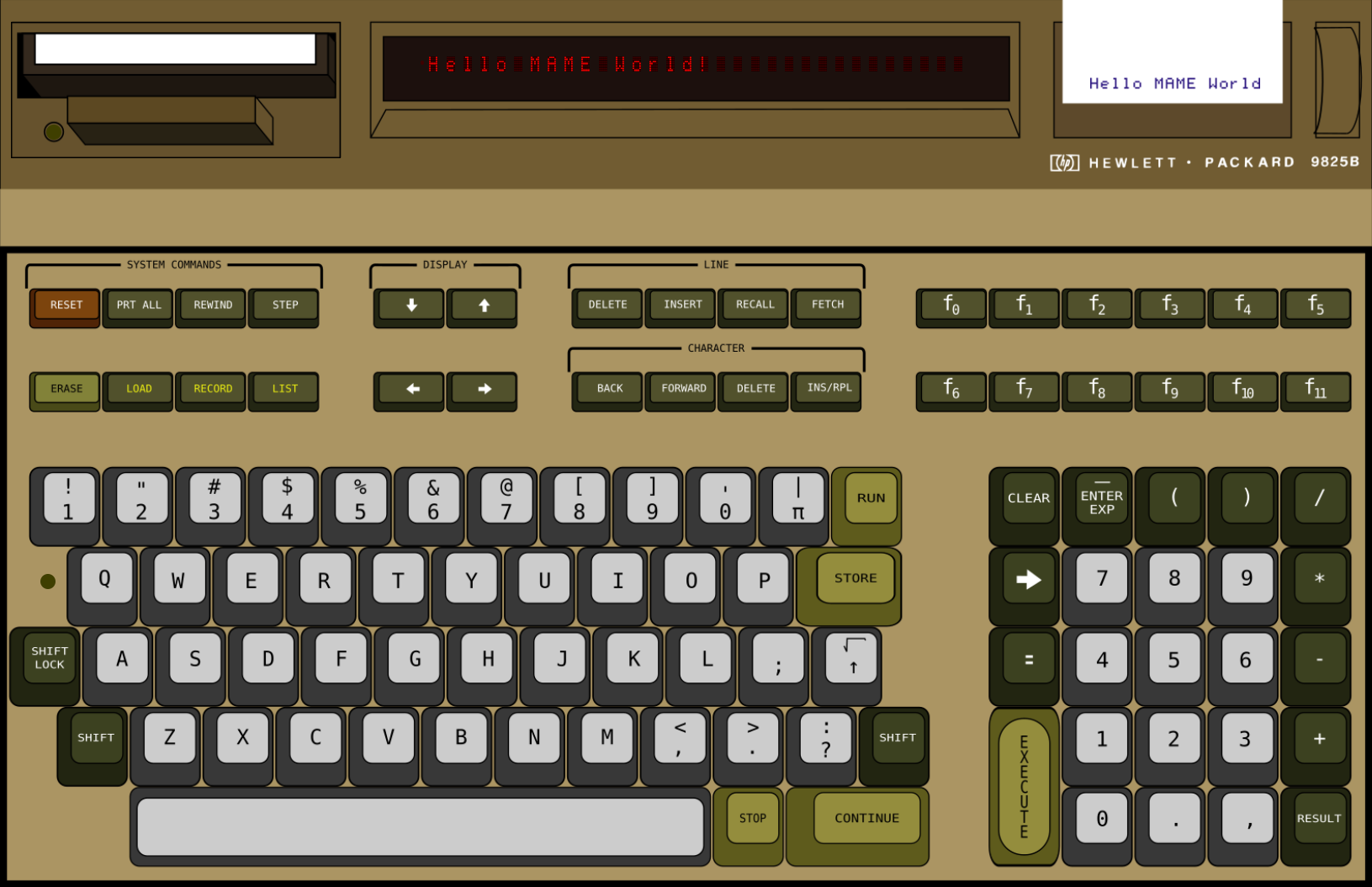
- Full layout with keyboard, display, tape drive and printer
ROM images
Base system HP9825A hp9825a.zip |
|||
|---|---|---|---|
| Name | Size | CRC | ||
| 9825asys.bin | 24576 | bda0ddfa | ||
Base system HP9825B hp9825b.zip |
||
|---|---|---|
| Name | Size | CRC |
| advpgm_t.bin | 2048 | 965b5e5a |
| extio_t.bin | 4096 | a708b978 |
| genio_t.bin | 2048 | ade1d1ed |
| plot72.bin | 2048 | 0a9cb8db |
| string_t.bin | 2048 | b5ca5da5 |
| sysrom1.bin | 8192 | fe429268 |
| sysrom2.bin | 8192 | 96093b5d |
| sysrom3.bin | 8192 | f9470f67 |
Base system HP9825T hp9825t.zip |
||
|---|---|---|
| Name | Size | CRC |
| advpgm_t.bin | 2048 | 965b5e5a |
| extio_t.bin | 4096 | a708b978 |
| genio_t.bin | 2048 | ade1d1ed |
| plot72.bin | 2048 | 0a9cb8db |
| skoalrom.bin | 4096 | 5e8124d5 |
| string_t.bin | 2048 | b5ca5da5 |
| syspgm.bin | 2048 | 8915588f |
| sysrom1.bin | 8192 | fe429268 |
| sysrom2.bin | 8192 | 96093b5d |
| sysrom3.bin | 8192 | f9470f67 |
For HP98034 & HP98035 modules see above.
For HP9895 drive see above.
9885 Opt ROM hp9825b_rom/mass.zip |
||
|---|---|---|
| Name | Size | CRC |
| 98217a.bin | 2048 | ee41c924 |
9885/9895 Opt ROM hp9825b_rom/mass2.zip |
||
|---|---|---|
| Name | Size | CRC |
| 98228a.bin | 16384 | 31ce695e |
SSS Mass Storage Opt ROM hp9825b_rom/sssmass.zip |
||
|---|---|---|
| Name | Size | CRC |
| sssmass.bin | 16384 | 95d36297 |
Matrix Opt ROM hp9825b_rom/matrix.zip |
||
|---|---|---|
| Name | Size | CRC |
| 98211a.bin | 2048 | 2cec553f |
How to invoke MAME
Base:
mame hp9825a -rompath <ROM directory>
mame hp9825b -rompath <ROM directory>
mame hp9825t -rompath <ROM directory>
To load optional ROMS:
-rom1..4 <ROM name>
For ROM names see above.
To add 98032 module:
-slot0..2 98032_gpio
To connect a HP9885 drive to 98032 module:
-slot1:98032_gpio:gpio hp9885
Once HP9885 is loaded, use this option to load a floppy image:
-flop <image file>
To add 98034 module:
-slot0..2 98034_hpib
To connect a HP9895 to 98034 module:
-slot1:98034_hpib:ieee_dev hp9895
Once HP9895 is loaded, use these options to load floppy images:
-flop1 <image for drive 0> -flop2 <image for drive 1>
To add 98035 module:
-slot0..2 98035_rtc
To load a tape image:
-utap <HTI file name>
To set output files for the internal printer:
-bitb1 <text output file> -bitb2 <graphic output file>
Example Start HP9825T with 9885/9895 ROM, HP98034, HP9895 with "9825_tests.mfi" image in drive #0 and set files for printer output:
mame hp9825t -rompath <whatever> -rom1 mass2 -slot0 98034_hpib -slot0:98034_hpib:ieee_dev hp9895 -flop1 9825_tests.mfi -bitb1 prt_1.txt -bitb2 prt_2.txt
HP9831A
What is implemented
- Base system with 8k, 16k, 24k or 32k of RAM
- DC100 tape drive
- Display & run light
- Optional ROMs
- External modules: HP98032, HP98034, HP98035, HP98036
ROM images
Base system hp9831.zip |
||
|---|---|---|
| Name | Size | CRC |
| 9831sys.bin | 24576 | 2f92e685 |
Mass storage ROM hp9831_rom/mass.zip |
||
|---|---|---|
| Name | Size | CRC |
| 98218a.bin | 8192 | 6aada59b |
How to invoke MAME
Base:
mame hp9831 -rompath <ROM directory>
To load optional ROMS:
-rom1..4 <ROM name>
For ROM names see above.
To add a 98032 module:
-slot0 98032_gpio
To connect a HP9885 drive to 98032 module:
-slot0:98032_gpio:gpio hp9885
To connect a HP9871 printer to 98032 module:
-slot0:98032_gpio:gpio hp9871
Once HP9871 is connected as shown above, add this option to redirect printer output to a file:
-prin <filename>
To load a tape image:
-utap <HTI file name>
HP Integral PC
What is implemented
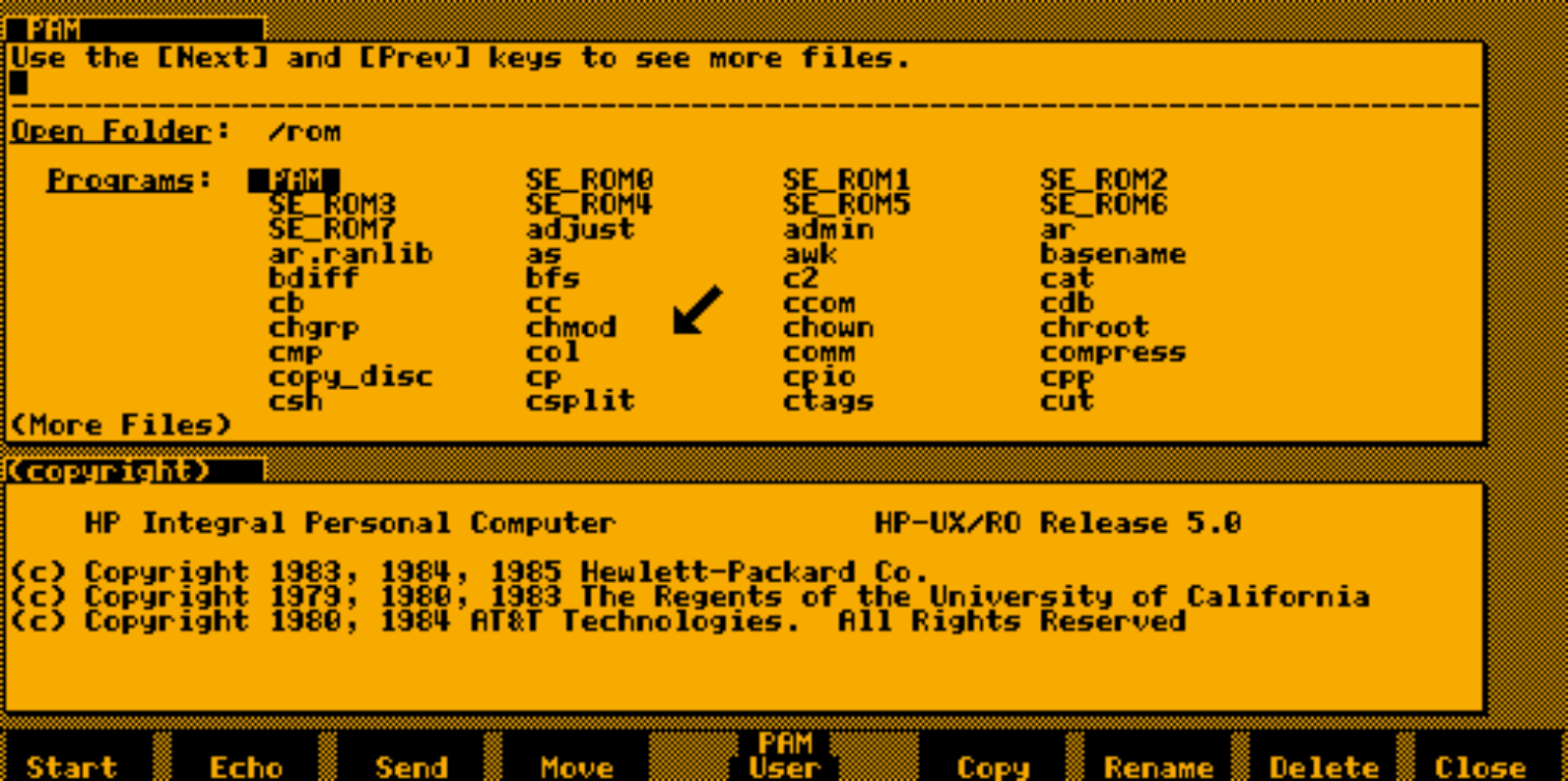
- Base system with 512k of RAM/512k of ROM
- Graphic screen
- Mouse pointer
- Internal floppy drive
- HPIB interface
- Beeper
- Optional ROM module: Software Engineering
- External modules: HP82919
ROM images
Base system hp_ipc.zip |
||
|---|---|---|
| Name | Size | CRC |
| hp ipc os 82991A.bin | 524288 | df45a37b |
Software Engineering ROM hp_ipc_rom/se.zip |
||
|---|---|---|
| Name | Size | CRC |
| se_rom.bin | 2097152 | 58da10cf |
How to invoke MAME
Base:
mame hp_ipc -rompath <ROM directory>
To enable mouse pointer:
-mouse
To set 1M of RAM:
-ram 1M
To set an image file for the floppy drive:
-flop <image file>
To interface to an external program through the IEEE488 remotizer, using 1234 TCP port:
-ieee_rem remote488 -bitb socket.localhost:1234
To load Software Engineering optional ROM:
-rom1 se
To add 82919 serial line module and connect primary RS232 to pty:
-slot_a 82919_serial -slot_a:82919_serial:rs232_prim pty
Notes
MAME warns you on start that ROM dump is incorrect. Emulation will run correctly anyway.
HP98x6

What is implemented
- HP9816A, HP9826A, HP9836A and HP9836C base systems with variable amount of RAM
- HPIB interface
- High-level emulation of 8041 keyboard interface chip (no ROM dump available)
- Large keyboard (98203B), knob and beeper
- ID PROM
- B/W or color text & graphic video
- 5.25" floppy drive(s) (N/A to 9816A)
- RS232 interface (9816A only)
- Optional ROMs
ROM images
Base system HP9816A hp9816a.zip |
||
|---|---|---|
| Name | Size | CRC |
| 1818-3171.bin | 8192 | 9cf4d4e1 |
| prom9816.bin | 256 | f2e57a04 |
| rom30.bin | 65536 | 05c07e75 |
| rom40.bin | 65536 | 36005480 |
Base system HP9826A hp9826a.zip |
||
|---|---|---|
| Name | Size | CRC |
| 9826-chargen.bin | 4096 | dc070d09 |
| prom9826.bin | 256 | 358a1a8b |
| rom30.bin | 65536 | 05c07e75 |
| rom40.bin | 65536 | 36005480 |
Base system HP9836A hp9836a.zip |
||
|---|---|---|
| Name | Size | CRC |
| 9836-chargen.bin | 4096 | 69754023 |
| prom9836.bin | 256 | 52251c32 |
| rom30.bin | 65536 | 05c07e75 |
| rom40.bin | 65536 | 36005480 |
Base system HP9836C hp9836c.zip |
||
|---|---|---|
| Name | Size | CRC |
| 9836-chargen.bin | 4096 | 69754023 |
| prom9836c.bin | 256 | 092a1815 |
| rom30.bin | 65536 | 05c07e75 |
| rom40.bin | 65536 | 36005480 |
BASIC 4.0 hp98x6_rom/basic40.zip |
||
|---|---|---|
| Name | Size | CRC |
| basic40.bin | 524288 | 003e6837 |
BASIC 5.1 hp98x6_rom/basic51.zip |
||
|---|---|---|
| Name | Size | CRC |
| basic51.bin | 786432 | 0998506d |
SSS HPL II+ hp98x6_rom/ssshpl.zip |
||
|---|---|---|
| Name | Size | CRC |
| ssshpl.bin | 524288 | c2f63303 |
How to invoke MAME
Base:
mame hp9816a -rompath <ROM directory>
mame hp9826a -rompath <ROM directory>
mame hp9836a -rompath <ROM directory>
mame hp9836c -rompath <ROM directory>
To load optional ROMS:
-rom1..2 <ROM name>
For ROM names see above.
To rotate the knob using mouse horizontal motion:
-dial_device mouse
To load an image in a floppy drive:
-flop1..2 <image file>
To interface to hp_disk through the IEEE488 remotizer, using 1234 TCP port:
-ieee_rem remote488 -bitb1 socket.localhost:1234